So you want to make an avatar, right?
aight bet
First things first, choose your theme
doesn't have to be anything grand, I mean if you've seen cunks_feet's avatars, they're literally chosen on a whim, so yeah just pick one.
Second things second, find a base
just go on BOOTH and find a base that you like
Or alternatively use an Unk(a free avatar base that cunks_feet made himself) by going over to the CHEESE <>< discord server and then asking cunks_feet in DAILY VRCHAT for an Unk. Don't worry too much about asking him about this, he won't mind.
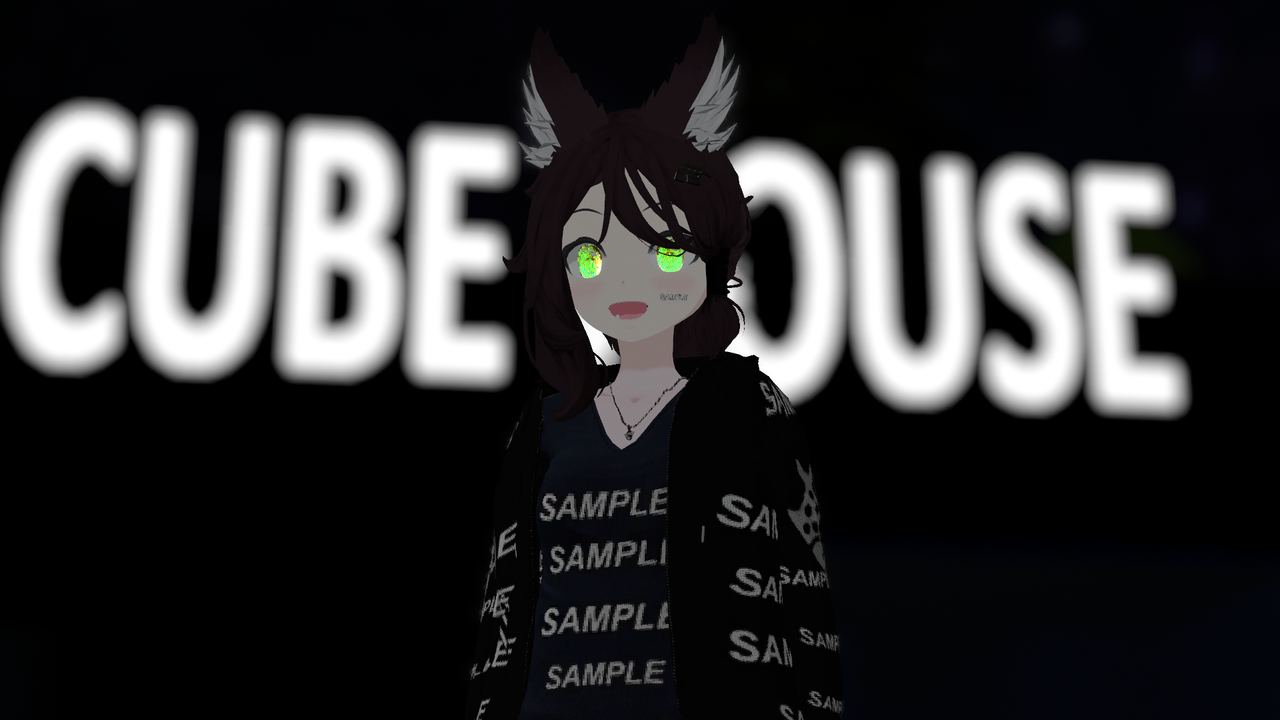
Above: EXAMPLE PICTURE OF THE UNK AVATAR BASE
Third things third, start up Unity via ALCOM or VCC, load up a base into the project and start working on it
I believe that improvisation is key when it comes to tackling projects. I mean some planning is of course necessary but we already did that with the previous 2 steps.
and yes, that amount of planning is perfectly fine, just something that gets you off the ground and running, that's all you need
Of course if you don't know how to install unity and do the bare basics, there are other tutorials and documentations out there!
Try the official VRChat documentation, vrc.school, or just finding a tutorial on YouTube
Also the documentations above will help you in the journey of making your avatar, so don't forget to check them out if you are struggling with something!
Also one bonus thing, if you want to find some cool stuff to add to your avatar, go over to The <>< community discord server
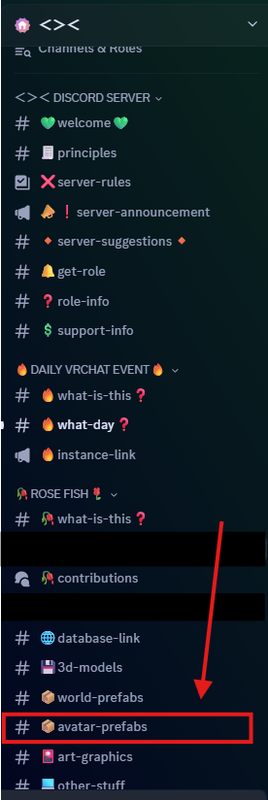
Above: VISUAL ON THE AVATAR PREFABS CHANNEL IN THE <>< COMMUNITY DISCORD SERVER
and click on the avatar prefabs channel
or alternatively go over to the CHEESE <>< discord server
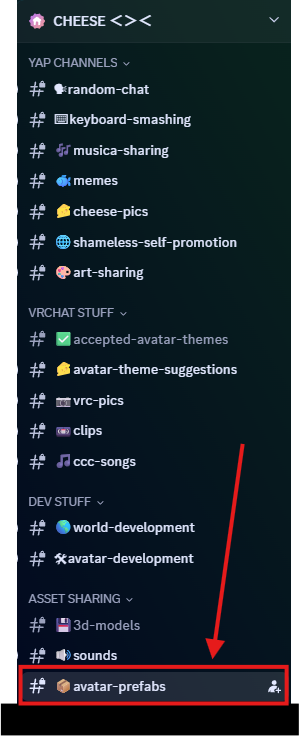
Above: VISUAL ON THE AVATAR PREFABS CHANNEL IN THE CHEESE <>< DISCORD SERVER
and click on the avatar prefabs channel
There are lots of cool stuff there !
After you have made and uploaded your avatar, if it's public, share it around with your friends, SNOW <><, and The <>< community!
If your avatar is meant to be submitted for CRYSTALL1ZED <><, then head over to the SN0W <>< discord server and submit your avatar at the CRYSTALL1ZED contributions channel!
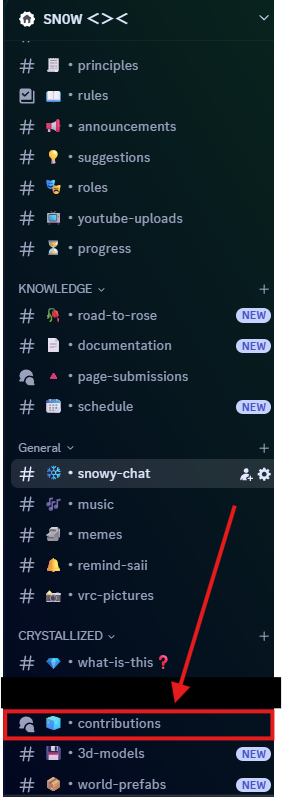
Above: VISUAL ON THE LOCATION OF THE CRYSTALL1ZED CONTRIBUTIONS CHANNEL
If your avatar is meant to be submitted for ROSE <>< , then go over to The <>< community Discord Server and submit your avatar at the ROSE FISH contributions channel!
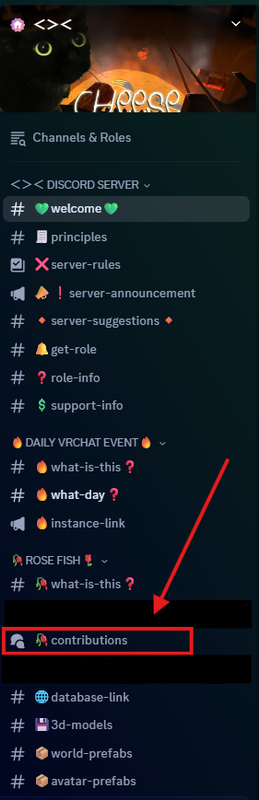
Above: VISUAL ON THE LOCATION OF THE ROSE CONTRIBUTIONS CHANNEL
This page was written by le Saii